

Machine Learning
| Training Mode | Regular | Fastrack | Crash |
|---|---|---|---|
| Classroom | Online | 12 Months (M,W,F or T,T,S Class) (3 Class in a week) |
6 Months (Monday to Friday Class) (5 Class in a week) |
4 Months (Monday to Friday Class) (5 Class in a week 1:30 hour duration) |
Introduction :
1. Getting Started with Machine Learning
2. An Introduction to Machine Learning
3. What is Machine Learning ?
4. Introduction to Data in Machine Learning
5. Demystifying Machine Learning
6. ML – Applications
7. Best Python libraries for Machine Learning
8. Artificial Intelligence | An Introduction
9. Machine Learning and Artificial Intelligence
10. Difference between Machine learning and Artificial Intelligence
11. Agents in Artificial Intelligence
12. 10 Basic Machine Learning Interview Questions
Data and It’s Processing:
1. Introduction to Data in Machine Learning
2. Understanding Data Processing
3. Python | Create Test DataSets using Sklearn
4. Python | Generate test datasets for Machine learning
5. Python | Data Preprocessing in Python
6. Data Cleansing
7. Feature Scaling – Part 1
8. Feature Scaling – Part 2
9. Python | Label Encoding of datasets
10. Python | One Hot Encoding of datasets
11. Handling Imbalanced Data with SMOTE and Near Miss Algorithm in Python
Supervised learning :
1. Getting started with Classification
2. Basic Concept of Classification
3. Types of Regression Techniques
4. Classification vs Regression
5. ML | Types of Learning – Supervised Learning
6. Multiclass classification using scikit-learn
7. Gradient Descent :
• Gradient Descent algorithm and its variants
• Stochastic Gradient Descent (SGD)
• Mini-Batch Gradient Descent with Python
• Optimization techniques for Gradient Descent
• Introduction to Momentum-based Gradient Optimizer
8. Linear Regression :
• Introduction to Linear Regression
• Gradient Descent in Linear Regression
• Mathematical explanation for Linear Regression working
• Normal Equation in Linear Regression
• Linear Regression (Python Implementation)
• Simple Linear-Regression using R
• Univariate Linear Regression in Python
• Multiple Linear Regression using Python
• Multiple Linear Regression using R
• Locally weighted Linear Regression
• Python | Linear Regression using sklearn
• Linear Regression Using Tensorflow
• A Practical approach to Simple Linear Regression using R
• Linear Regression using PyTorch
• Pyspark | Linear regression using Apache MLlib
• ML | Boston Housing Kaggle Challenge with Linear Regression
9. Python | Implementation of Polynomial Regression
10. Softmax Regression using TensorFlow
11. Logistic Regression :
• Understanding Logistic Regression
• Why Logistic Regression in Classification ?
• Logistic Regression using Python
• Cost function in Logistic Regression
• Logistic Regression using Tensorflow
12. Naive Bayes Classifiers
13. Support Vector:
• Support Vector Machines(SVMs) in Python
• SVM Hyperparameter Tuning using GridSearchCV
• Support Vector Machines(SVMs) in R
• Using SVM to perform classification on a non-linear dataset
14. Decision Tree:
• Decision Tree
• Decision Tree Regression using sklearn
• Decision Tree Introduction with example
• Decision tree implementation using Python
• Decision Tree in Software Engineering
15. Random Forest:
• Random Forest Regression in Python
• Ensemble Classifier
• Voting Classifier using Sklearn
• Bagging classifier
Contact Us
Course Feedback
Student Projects
-
.png.webp)
Name : Manish Bharti
Course : Web Designer
Project : Mindx
Guided By : Rajesh Sir
-
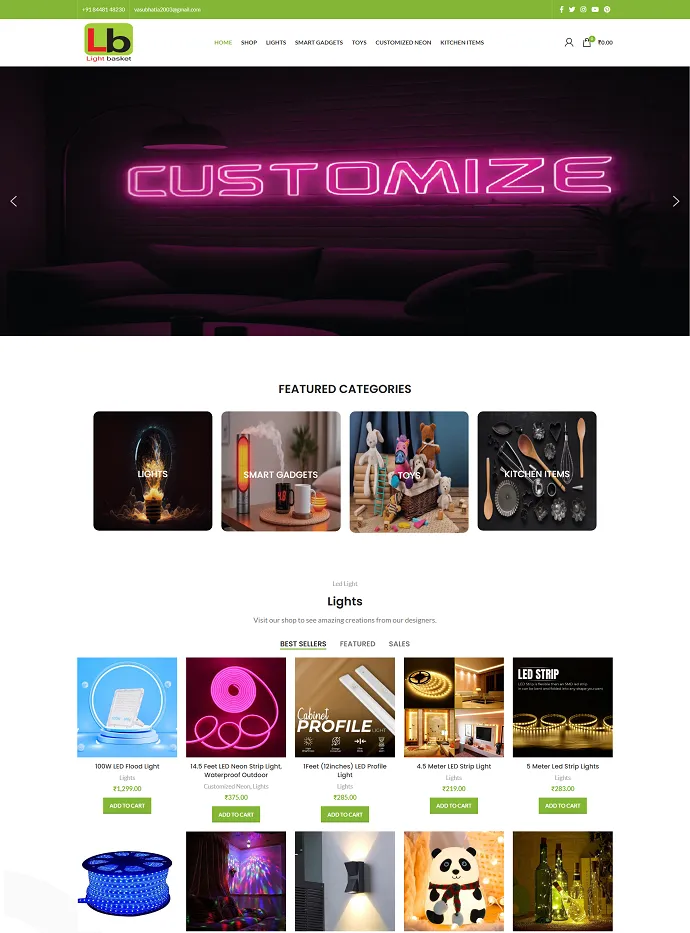
Name : Manish Bharti
Course : Web Designer
Project : Light Basket
Guided By : Rajesh Sir
-
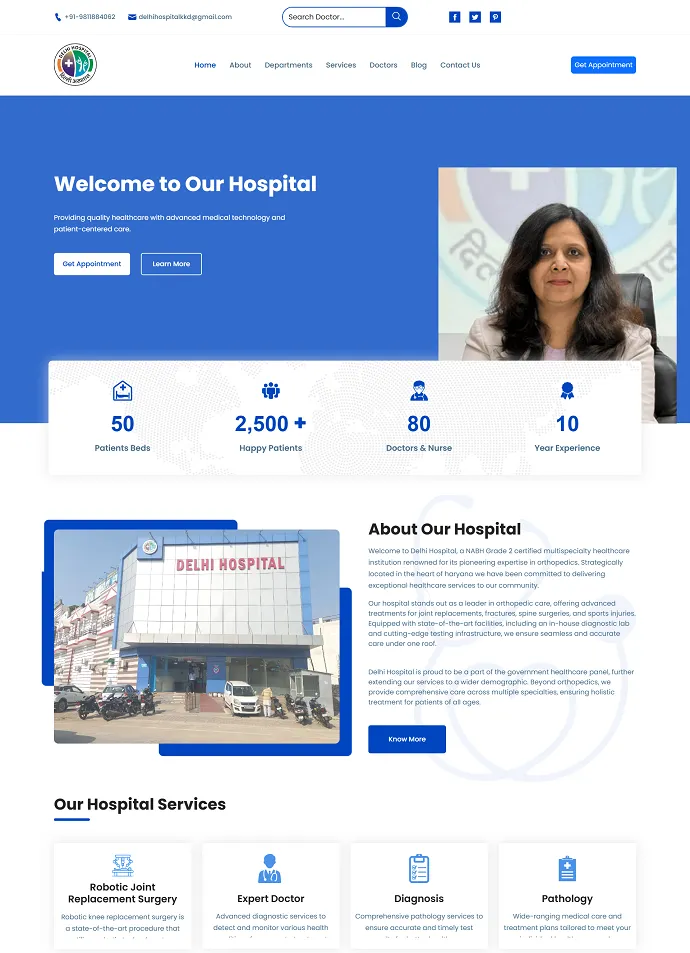
Name : Sakesh Kumar
Course : Web Development
Project : Delhi Hospital
Guided By : Rajesh Sir
-
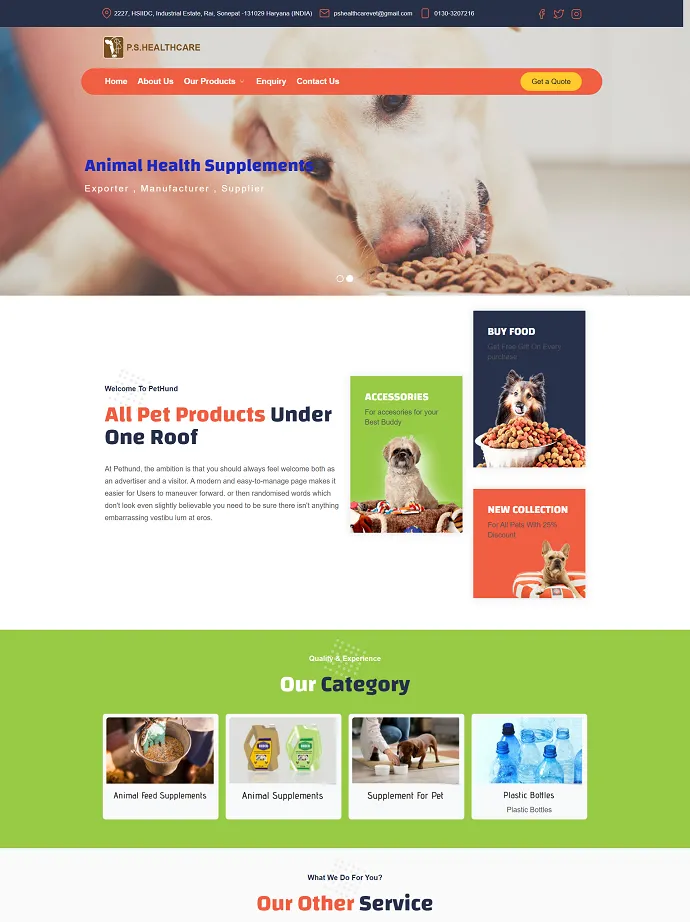
Name : Vikash Kumar
Course : Full Stack Developer
Project : PS Health Care
Guided By : Rajesh Sir
-

Name : Bablu Kumar
Course : Web Developer
Project : Mudra Cash for Gold
Guided By : Rajesh Sir
-
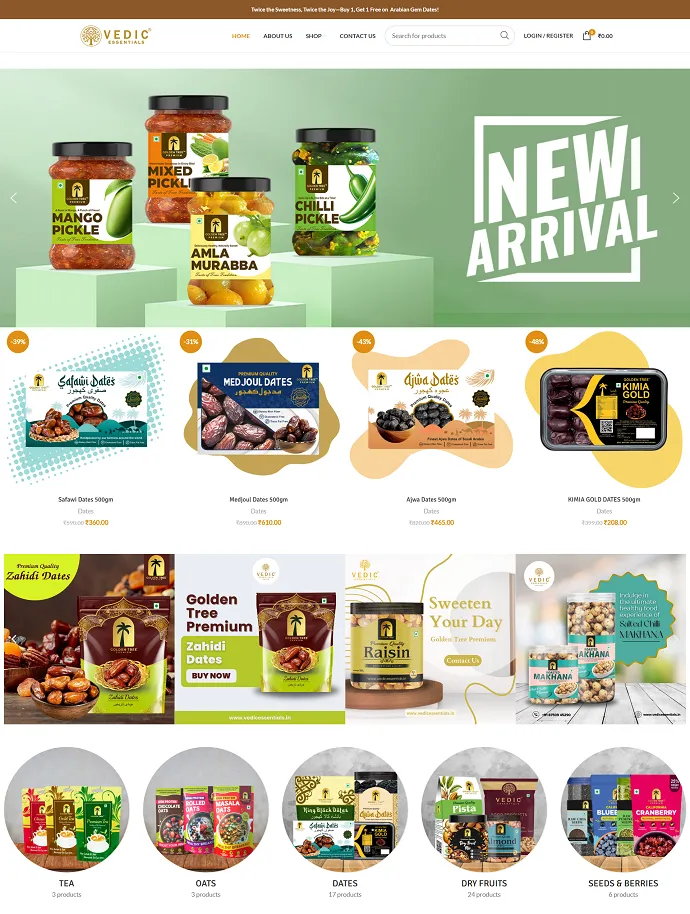
Name : Manish Bharti
Course : Web Designer
Project : vedicessentials
Guided By : Rajesh Sir
-
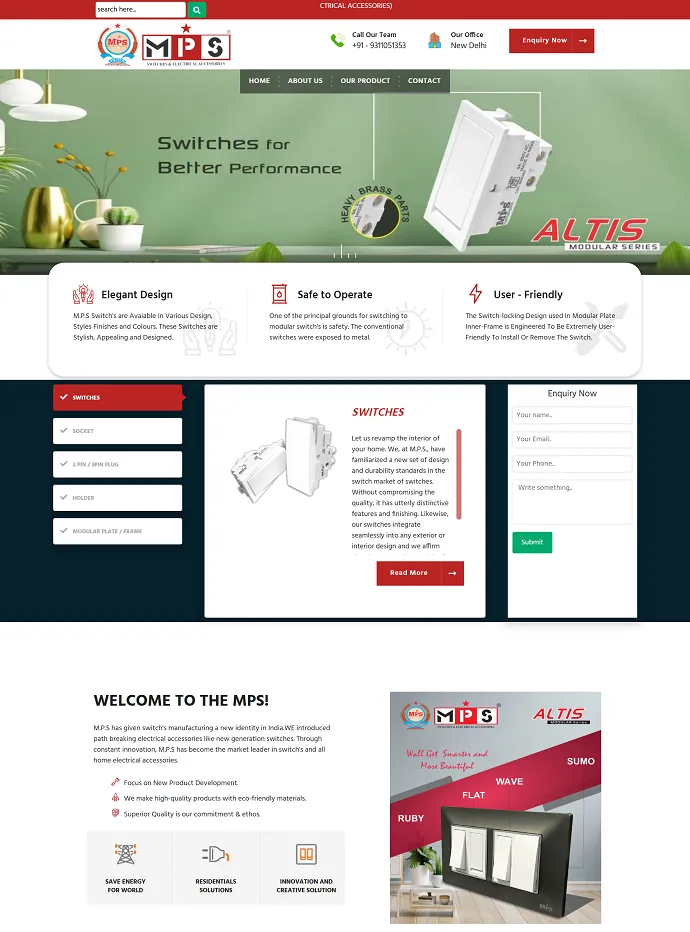
Name : Guddu Kumar
Course : Advance Full Stack Developer Expert
Project : MPSswitches
Guided By : Rajesh Sir
-
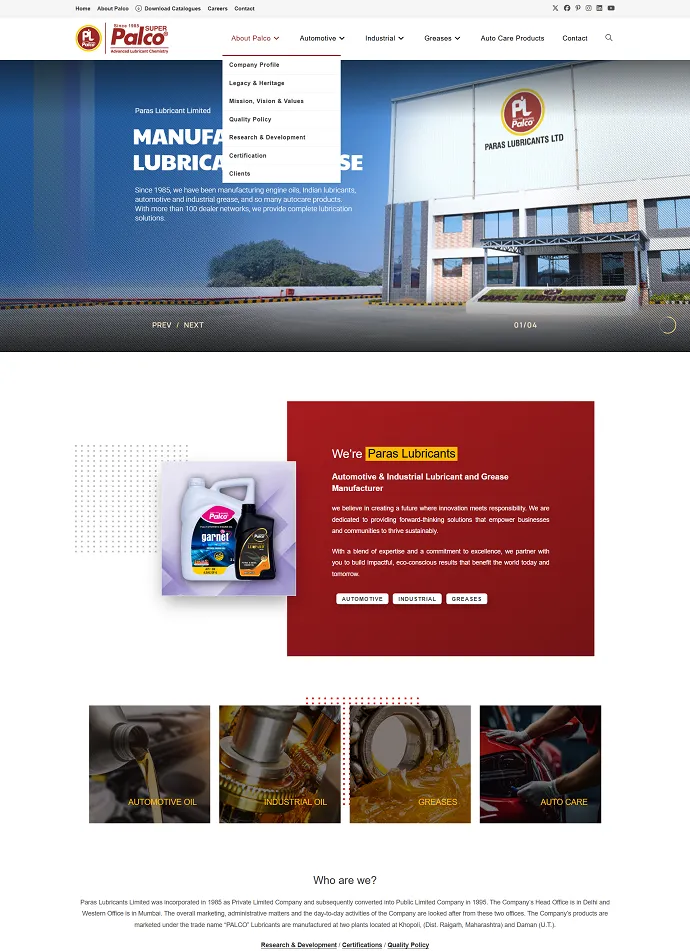
Name : Guddu Kumar
Course : Advance Full Stack Developer Expert
Project : Palco
Guided By : Rajesh Sir
Frequently Asked Questions – Advance Machine Learning Course
How long is the Advance Machine Learning Course?
You can choose the pace that suits you – Regular: 12 Months, Fastrack: 6 Months, Crash: 4 Months. Regular batches usually have 5 classes a week of about 1.5 hours each; fastrack and crash batches cover the same syllabus in less time with longer or more frequent classes.
Can I join the Advance Machine Learning Course online?
Yes. Advance Machine Learning Course is available as classroom training at our Rithala centre (near Rohini and Rithala Metro Station, Delhi) and as live instructor-led online classes. Online students get the same syllabus, assignments, doubt-clearing and certificate as classroom students.
Will I get a certificate after the Advance Machine Learning Course?
Yes. After completing the course and the project work, you receive a course completion certificate from Next-G Classes, an ISO-certified and MSME-registered training institute.
Who can join the Advance Machine Learning Course?
Students after 10th or 12th, college students (BCA, MCA, B.Tech, B.Com, BA and others), graduates, job seekers, working professionals and business owners can join. Basic computer knowledge is enough – training starts from the fundamentals.
Do you provide live projects and placement assistance?
Yes. Students work on practical assignments and live projects during the course, build a portfolio, and get interview preparation and placement assistance after completing the course.
What is the fee for the Advance Machine Learning Course?
The fee depends on the batch type (regular, fastrack or crash) and on whether you study in the classroom or online. Call or WhatsApp +91-7503301775 for the current fee and offers. Fees can be paid in instalments and an EMI option is available.
Can I attend a free demo class before joining?
Yes. You can book a free demo class at the Rithala centre or online by calling +91-7503301775 or by filling in the enquiry form on this page.
Where is Next-G Classes located?
Next-G Classes is at Plot No 4, Kh. No. 59/13, First Floor, Pal Colony, Rithala, Delhi - 110085, a short walk from Rithala Metro Station and close to Rohini, Pitampura and Shalimar Bagh. The centre is open from 8 AM to 8 PM, all 7 days.
KEY FEATURES OF COURSES

Trusted by our Students
More than 1000 students we have trained in last 8 years placed successfully in various Industry.